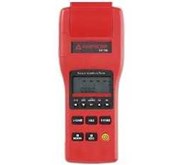
Detail ATTEN ADS1202CML
Outstanding Design
Independent Channel Control: Independent channel control to provide simple, intuitive operation; clear button backlight design, work status at a glance.
Window extension: a dual time base system EasyZoom window extension technology, the perfect extension of local waveform, the overall situation, details of the show.
Adjustable waveform intensity: Adjustable waveform intensity at any time, according to a clear need for easy observation of the waveform.
EasyScope test software:
The software allows SDS1000CA Series oscilloscopes via USB or RS-232 interface to be connected with the PC software provides control and analysis functions are as follows:
1, through the data browser to display the captured waveform data and measurements;
2, through the DSO local or remote controller operation
3, to " BMP " waveform bitmap format?
4, the data is saved as " EXCEL " file for analysis
5, print / store waveform
EasyDsoLib Software Development Kit:
Package is easy for customers to provide secondary development interface function library that contains the sample points from the oscilloscope to get the version number, waveform data, setting parameters, automatic measurement parameters, uploading and downloading to set or control the oscilloscope oscilloscope interface functions. Make your development easy and efficient.
General Technical Specifications
Display System
Display Type: TFT 7 ' ' ( 178mm) LCD Monitor
Display resolution: 480 ( horizontal) pixels × 234 ( vertical) pixels ( L series with)
Display color: 64K colors
Contrast ratio ( typical) 150: 1
Background intensity ( typical) : 300 nit
Waveform display range: 8x12 frame & 8 × 18 grid
Waveform display modes: point, vector
Afterglow: off, 1 second, 2 seconds, 5 seconds, unlimited
Menu is displayed: 2 seconds, 5 seconds, 10 seconds, 20 seconds, unlimited
Screen protection: off, 1 minute, 2 minutes, 5 minutes, 10 minutes, 15 minutes, 30 minutes, 1 hour, 2 hours, 5 hours
Interface options: classic, modern, traditional, simple
Interpolation method: Sin ( x) / x interpolation, linear interpolation
Screen Color Mode: Normal, RP
Display Language: Simplified Chinese, Traditional Chinese, English, French, German, Russian, Spanish, Portuguese, Arabic, Japanese, Korean, Italian
Power
Supply Voltage : 100-240 VAC, CAT II, ? ? automatic selection
AC power frequency range: 45Hz to 440Hz
Power consumption: 50VA Max
Environment
Temperature: 10 ? work to + 40 ? ; do not work 85% RH, 65 ? , 24 hrs
Cooling: fan forced cooling
Humidity: Operating 85% RH, 40 ? , 24 hours; do not work 85% RH, 65 ? , 24 hrs
Height: Work 3000 m; not work 15, 266 m
Oscilloscope Accessories:
- User Manual
- Warranty Card
- Certificate
- 1: 1 / 10: 1 probe two
- Meet the standards of the host country the user the power cord
- USB cable
- CD-ROM ( containing EasyScope3.0 computer software system)
Warranty
ATTEN Electronics Co., Ltd. ensures the production and marketing of products from LDB ENTERPRISES INC for three years from the date of delivery, does not appear in material and workmanship defects. If the product proves to be defective within the warranty period, ATTEN will provide the warranty services, either repair or replacement .
Routine maintenance and cleaning
Routine maintenance
Stored or placed on equipment, do not make LCD monitors for a long time exposed to direct sunlight.
Avoid damage to the instrument or probes, do not be placed in mist, liquid or solvent.
Clean
Please click the following steps to clean the outer surface of the instrument:
1. Use soft cloth to wipe the dust outside the instrument and probe. When cleaning the LCD screen, be careful not to scratch the clear plastic protective screen.
2. Use a soft cloth moistened with clean water equipment, please note that disconnect the power. To be more thorough cleaning, use 75% isopropyl alcohol solvent.
? To avoid damage to the instrument or the probe surface, do not use any abrasive cleaning agents or chemical reagents.
? re-energized before use, make sure the instrument has been dried to prevent moisture or personal injury caused by electrical short circuit.
Tampilkan Lebih Banyak